NAVIGATE AND CONTROL
BALL IN MIND TRAINING
FROM YOUR PHONE!
Software control is done directly from a phone or tablet, connected to the computer via Wi-Fi or Bluetooth.
PC Remote Receiver allows control of a Windows computer using a smartphone. Ball in Mind has chosen this free software which, combined with the 'bille en tête controller' interface, enables navigation and control of our software.
This software can be downloaded for free from monect.com/#download
PC Remote Receiver must be installed on the computer to enable a connection via Wi-Fi or Bluetooth between the phone/tablet and the computer.
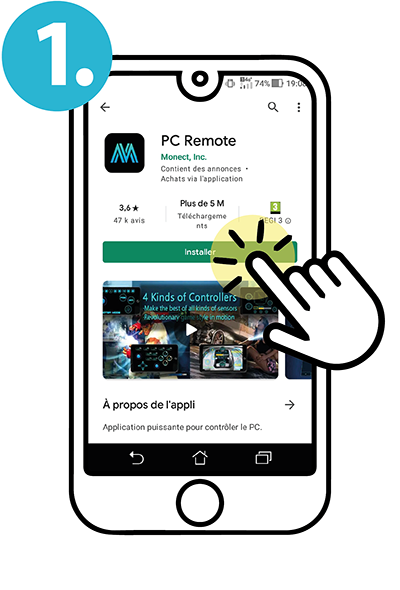 To control Ball in Mind software, you need to install the PCRemote app on your phone (or tablet).
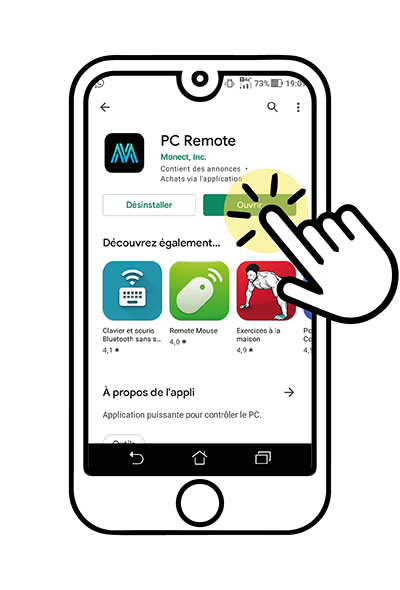 Download and install the app from your phone (Play Store for Android).
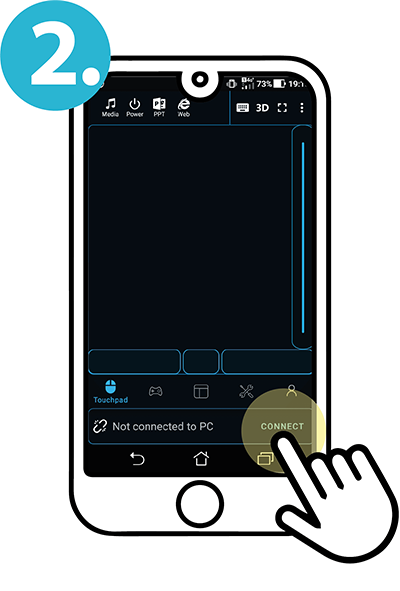 You can now connect your phone to your computer.
DOWNLOAD THE ''PCRemote'' APP ON YOUR PHONE
Available on Play Store (for Android)
or at monect.com/#download
QRCode scan
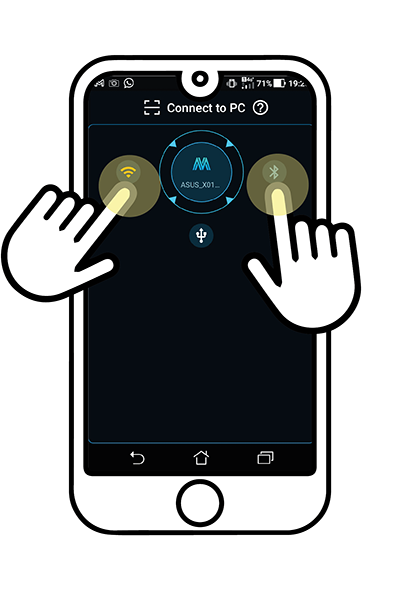 Choose a Bluetooth or Wi-Fi connection.
You now control your computer's mouse.
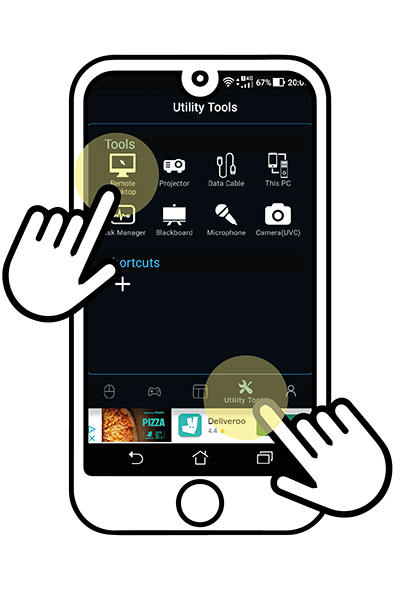 By clicking on ''Utility Tools'' (menu), then on ''Remote Desktop'', you will have access to your desktop if needed (for Wi-Fi connection).
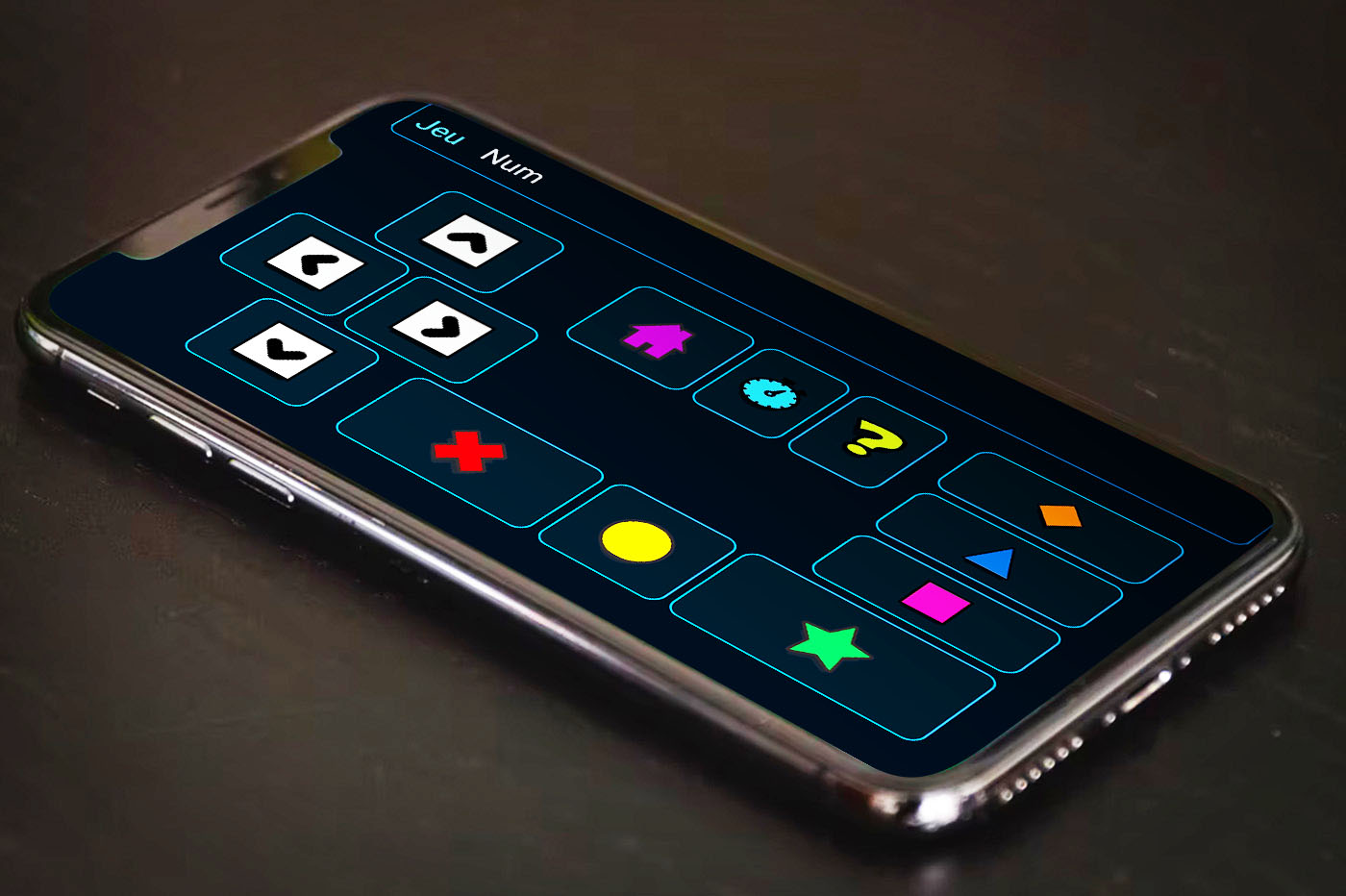
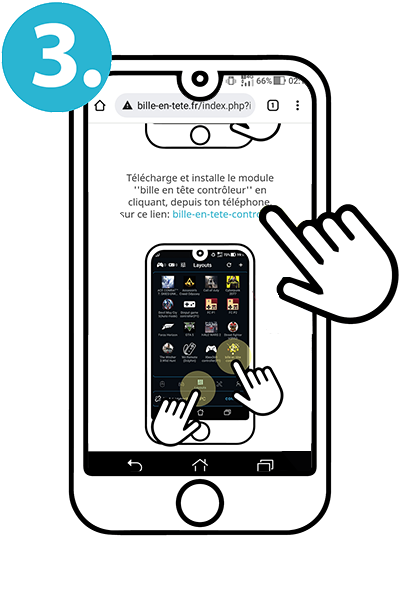 Download and install the ''bille en tête controller'' module by clicking on this link from your phone: bille-en-tete-controller
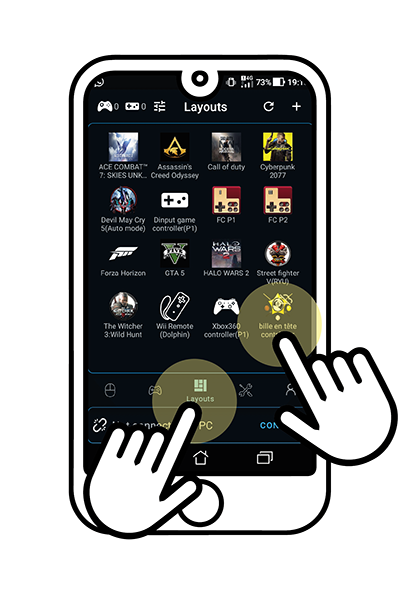 The ''bille en tête controller'' module is now accessible from the ''Layouts'' menu.
DOWNLOAD THE ''BILLE EN TÊTE CONTROLLER'' MODULE ON YOUR ANDROID PHONE
(for the PCRemote app)
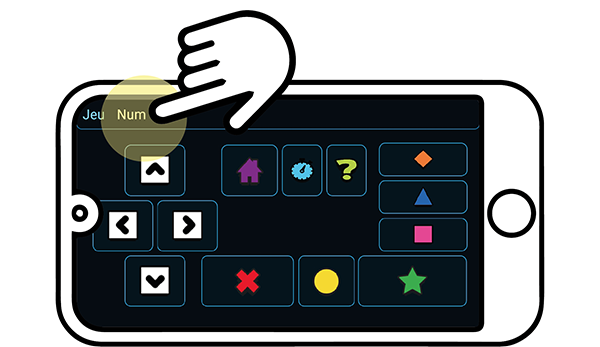
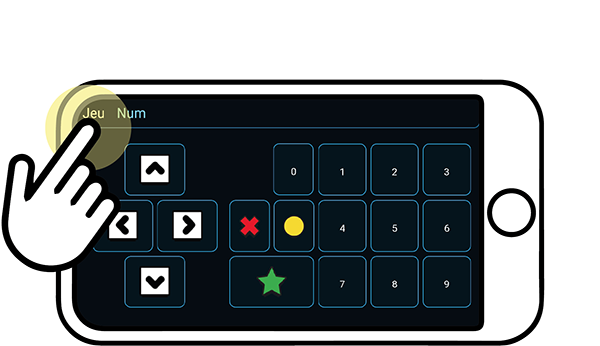
NAVIGATE AND CONTROL BALL IN MIND SOFTWARE!
THE ADVENTURE BEGINS!
Click on the Menu links to switch between interfaces according to the game's needs.